

 Reply With Quote
OPPSS!!!!!!!!!!
Something is going wrong with forum websites. Several time I simpy edited a post, but it dublicated many time. Remove present dublication please.


Normally, custom programs are structured to install to /usr directory, which is blocked as read-only at knoppix running from core.
In addition to updated "Optimal man HD install" ( http://www.knoppix.net/forum/viewtopic.php?t=17024 ) I use might be fancy way to overwrite this accordingly with my nation worn saying: “If mountains do not go to Mohammed then Mohammed goes to mountains”.
Have (or make) a file system with at least ~94000 inodes available. To check this, type df –m ~for disk space, and df –i ~for inodes available and used in mounted file systems. Each Linux file has its own inode, which is a special block with information about this file. 100000 inodes occupy ~12 MB of disk space. A new file can’t be created if no free inode is available; i.e., you may meet situation when you copy files to a partition with a plenty of free space, but system says: “no free space”; simply no free inode is available.
Inodes are created at the file system formation. To change inodes number and size the file system should be re-formatted (data will be lost), e.g., by:
mke2fs /dev/hdax -F -m 0 -i 1024 -N 100000 ; # use additional -n option to preliminary test without actual formatting.
Next, at any knoppix session:
=====================
mkdir –p $mydir/usr
/bin/cp -aus /KNOPPIX/usr/* $mydir/usr ; # links files from /KNOPPIX/usr to the real directory $mydir/usr
=====================
These 92800 links (~5 MB of disk space) occupy ~92800 inodes, You can free inodes for future use by reducing number of links, e.g., by re-linking (as simply as pressing Cntr(x)-s in mc) a directory as hole, one inode per a directory; but these directories will be closed for writing. E.g., only re-linking all xx/doc and xx/man directories number of links was reduced to ~61000. Actually, you can create enough inodes and don’t care about reducing, or at the limit, keep opened only directories where your custom installation will go, checking a package content before installation.
To automatically link at boot your customized $mydir/usr to /usr add to the knoppix.sh:
=========================
[ -d $mydir/usr ] && { [ -h /usr ] && unlink /usr; [ -d /usr ] && rm –f /usr ; [ -d /usr ] || mkdir -p /usr ;
mount --bind $mydir/usr /usr ; }
=========================
Next, you can make normal installation to root / >> /usr until your partition will be full, or all inodes will be used (you can delete unnecessary links, as mentioned above). No needs to correct PATH and LIB_PATH, only it’s useful to run ldconfig after a new installation.
At reboot /usr will be umounted, and knoppix.sh will mount it automatically at the next boot.
Latest KOffice-1.3.5 is installed in such a way, and it opens significantly faster that knoppix OpenOffice.
Such installation works OK, but I’m not sure what’s better for performance: “mount --bind” or “link”?
1. I believe that “mount -bind" refers to inode locations, but soft link to files path. Both have preferences: “mount -–bind” does not use inodes and hd space, but if you accidentally delete directory all data will be lost. In the case of soft links, only link will be deleted, but links add path for files search and execution.
But how all these are reflected on performance efficiency?
2. What is the main delay in knoppix core performance – hd reading or core decompressing?
Does somebody have experience or information about performance efficiency in the mentioned above cases?
I’ll, appreciate any information that help to improve system performance.
Best, Alex
OPPSS!!!!!!!!!!
Something is going wrong with forum websites. Several time I simpy edited a post, but it dublicated many time. Remove present dublication please.
 Posting Permissions


Acer Aspire 14" AI Copilot+PC Laptop Core Ultra 5 226V Gen 4 ARC 16GB 1TB Refurb
$482.02

Dell Latitude 14" Laptop Computer Intel i5 Up To 32GB RAM 1TB SSD Windows 11 Pro
$372.48

External SSD 1TB 2TB Portable Hard Drive USB 3.1 Type-C High Speed PC Mac
$16.99

SGIN 15.6" Laptop 16GB RAM 1TB SSD Win 11 Intel i3-10100Y Backlit Keyboard FHD
$335.99

Acer Predator Helios Neo 16S AI 16" i9 275HX 2S RTX 5070 Ti 32GB 1TB SSD Refurb
$1794.16

Apple iPad Pro 12.9" 5th Gen 128GB 256GB 1TB 2TB Wi-Fi Or Cellular - Good
$489.99

SAMSUNG T7 Portable SSD 1TB Indigo Blue USB 3.2 Gen2 External MU-PC1T0H/AM
$159.99

Fanxiang 1/2/5/10Pcs 2.5'' SATA SSD Lot 1TB 2TB 4TB 512GB 256GB TLC Internal SSD
$129.99
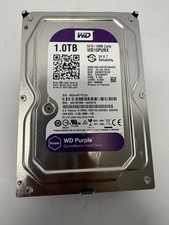
Western Digital Purple 1TB WD10PURX Hard Drive Surveillance w/ 100% Health, QTY
$54.99

Hitachi / HGST Travelstar HTS541010B7E610 1TB 2.5" SATA III HDD
$29.99